Free download
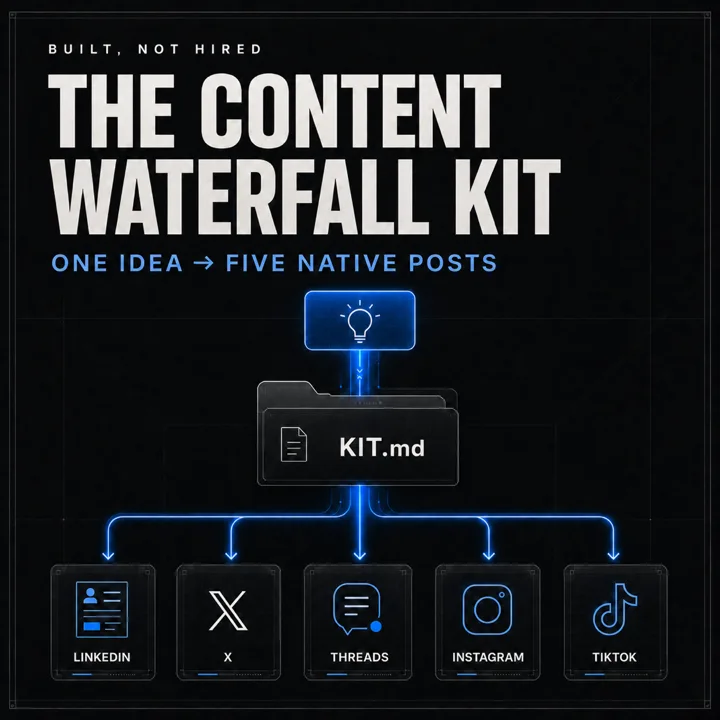
One idea in. Five native posts out.
The Content Waterfall Kit - an installable skill folder that writes your idea five times, once for each platform's own physics. Free.
What it is
Drop in one idea and get five posts back - LinkedIn, X, Threads, Instagram, TikTok - each written against that platform's own physics instead of one caption resized five times. It ships with a fill-in-the-blank "platform physics" file per channel, so instead of guessing what performs, the skill writes against patterns you harvested from posts that actually won in your niche. Install the folder, fill in your own voice and channels, and it is yours to keep - no subscription, no dashboard, nothing to log into.
What's in the folder
-
physics/- Five platform files - linkedin.md, x.md, threads.md, instagram.md, tiktok.md - each with the same ten sections: your lane, the ranking engine, the one lever, format, shape of a post, cadence, harvested patterns, corrective lines, off-limits, and sources. They ship blank. This is the asset. -
.claude/skills/- Three commands the folder installs into Claude Code: /waterfall-setup interviews you and fills your files in, /waterfall turns one idea into one native post per active channel, /waterfall-teardown studies a channel and writes the findings back. -
voice.md- Who you are, what you sell, which of the five channels are actually active, how you sound, the words that are not yours, and what the agent may never write for you. It reads this before it writes anything. -
TEARDOWN_LOOP.md- The nine-step method for filling the harvested-patterns section from posts that actually won in your niche - rank by ratio rather than raw count, code the top and bottom groups, isolate the repeating differences, tag your confidence. -
teardown_prompt.md + idea.md- The copy-paste analysis prompt that produces your pattern section, and a one-idea input template for when an idea arrives with conditions attached. -
START_HERE.md, INSTALL.md, RUN_IN_ANY_AGENT.md, LICENSE.md- The three-step front door, the full setup guide with a troubleshooting table, instructions for running the same method in Codex, Cursor, Gemini CLI, or a plain chat window, and the license.
The physics files ship blank on purpose. Yours should not look like anyone else's, because your audience is not anyone else's.
Who it's for
- One person publishing across several platforms, with no team to hand a caption to.
- Anyone already writing, but re-posting the same caption everywhere and watching four of the five land flat.
- People comfortable unzipping a folder and filling in a template.
- Not for anyone who wants a SaaS dashboard. There is nothing to log into, and that is the point.
Get the kit
One email, one zip. The download link lands in your inbox and on the next page.
How to install it
- 1 Install Claude Code and open the unzipped folder in it - the desktop app if you would rather not touch a terminal, or the one-line installer if you would. Budget ten minutes.
- 2 Type
/waterfall-setup. It interviews you - who you write for, how you sound, which channels you actually use - and writes the answers intovoice.mdand the top of each physics file. You do not edit anything by hand. - 3 Type
/waterfallfollowed by an idea in one sentence. Five posts come back, one per active channel. - 4 When you have an hour, run
/waterfall-teardownon the channel you care most about. This is the step that makes the output stop sounding generic.
Before you download, one honest prerequisite. The commands run in Claude Code, which needs a paid Claude plan - Pro, Max, Team, Enterprise, or API. The free Claude.ai tier does not include it. This is the step most install guides leave out, and it is better to know now than at the last screen.
Not on Claude Code? The kit includes RUN_IN_ANY_AGENT.md, which covers running
the same method in Codex, Cursor, Gemini CLI, Copilot, or a plain chat window. The method is
not tied to any one tool.
While you're here
The kit is one piece of a larger set of systems. The guides are free and the community is where people compare the physics files they have actually filled in.